
The examiner and candidate work from the same FAA visual
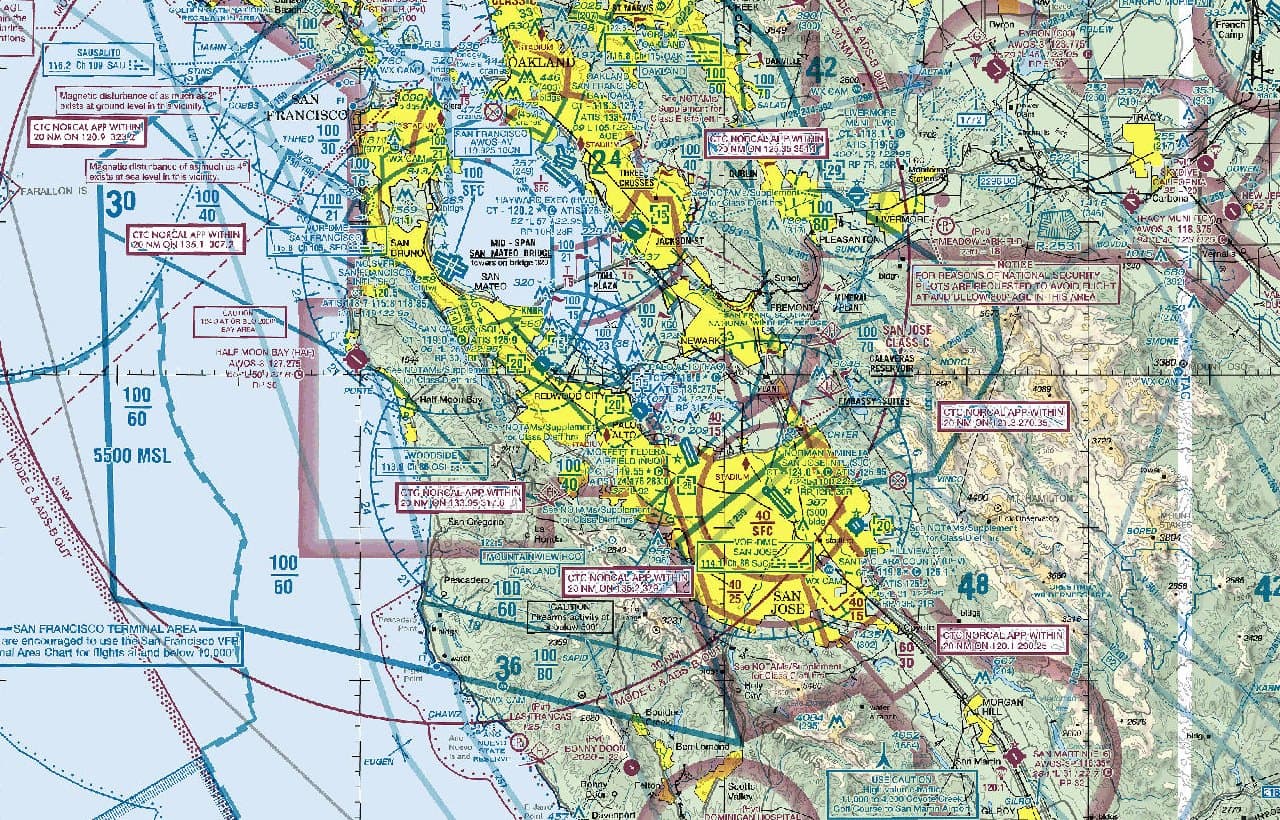
The check-ride.ai visual workspace is an examiner-controlled part of the live mock oral. It can render supported FAA charts and reviewed figures in the candidate's session, commit the visible frame back to the voice runtime, and let the examiner ask a question about what is actually on screen.
Supported visual sources
| FAA map layers | VFR sectional, IFR low-enroute, and IFR high-enroute chart tiles from FAA ArcGIS services |
|---|---|
| Terminal charts | FAA d-TPP airport diagrams, instrument approach procedures, SIDs, and STARs |
| Reviewed figures | An approved library of FAA and USCG images or diagrams for airport markings, signs, lighting, standard figures, and selected performance references |
| Adjustments | Zoom, pan, layer changes, chart selection, and close actions when supported by the displayed artifact |
| Continuity | The open visual artifact is persisted and can be restored when a session resumes |
A visual question has a verified handoff
- The examiner requests a specific supported reference. The request includes an airport, chart type, figure subject, or adjustment.
- The interface renders the artifact. Map tiles render in the browser; supported terminal charts and reviewed figures are delivered through their dedicated paths.
- The candidate-visible frame is committed. The session reports whether the artifact is displayed and visible instead of assuming the render succeeded.
- The same image is injected into examiner context. The runtime reports whether image injection succeeded.
- Only then does the examiner ask the grounded question. If the artifact is wrong or unavailable, the examiner must retry, use what is actually visible, or continue without claiming a different image is present.
Example: a sectional question near Palo Alto
What the workspace does not claim to support
- Candidate-provided files are outside the documented workspace scope.
- The documented sources are FAA map layers, terminal charts, and a reviewed FAA/USCG figure library.
- It does not treat a failed or unconfirmed render as visible to the candidate.
- It shows one committed artifact at a time and closes it when the conversation moves to a different topic.
- It is a practice aid. Current official charts and publications remain the authoritative source for real-world decisions.
Where visual questions matter
Common questions
Can the examiner move or change a chart?
Yes. Supported map artifacts can be zoomed, panned, or switched between layers. Terminal charts can be selected by exact chart name, and the examiner can close a reference when it is no longer relevant.
Does the examiner know whether I can see the visual?
The tool waits for a render-and-capture handshake and reports candidate-visible and image-injection status. The examiner prompt prohibits asking a visual-grounded question until those checks succeed.
Does the workspace remain after a break?
The current visual artifact is persisted. When an eligible session resumes, the application can restore the open workspace so the visual and conversation remain aligned.